The line starts here
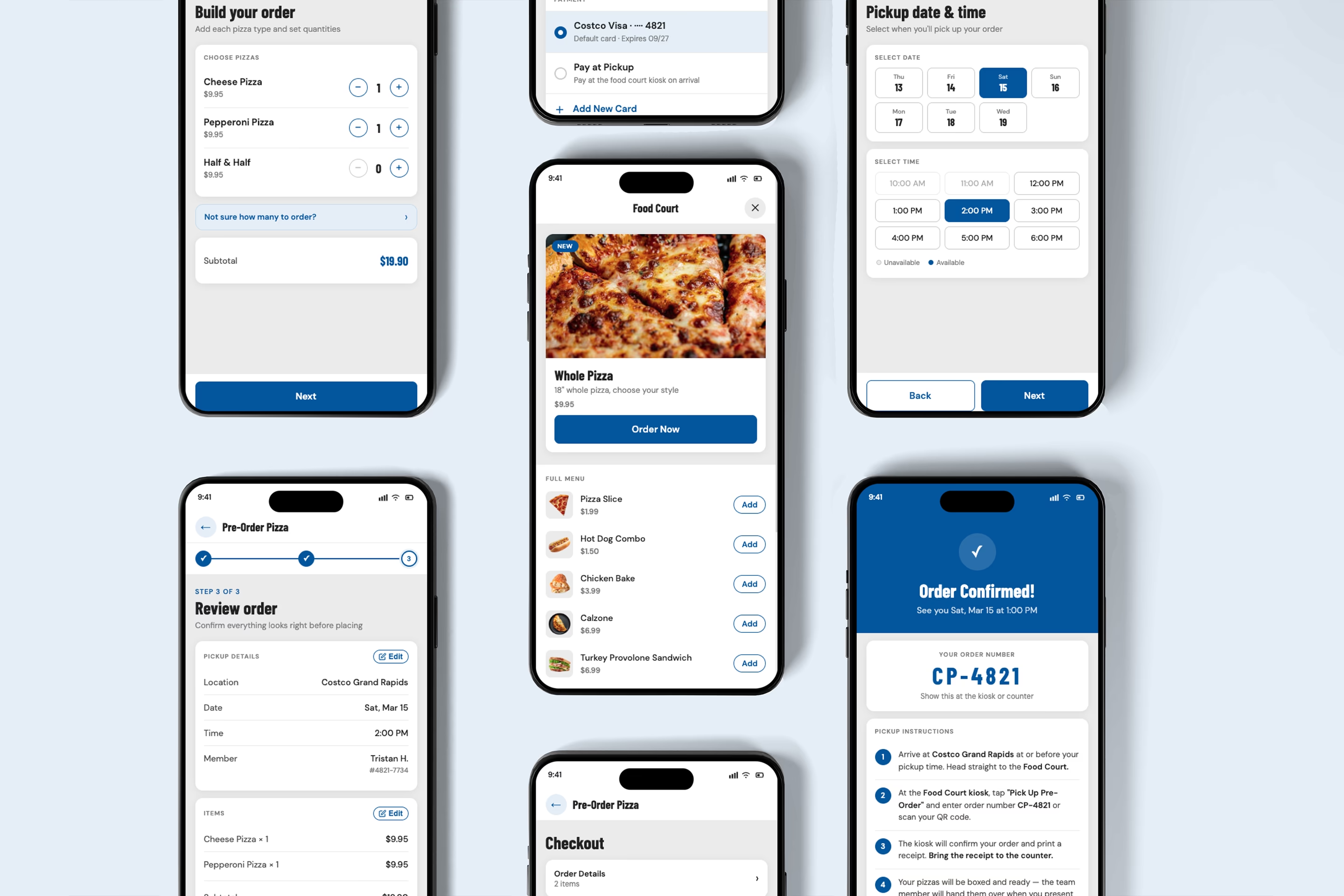
Costco's Food Court pizza is one of America's most loved food court items, but ordering one ahead of time is a frustrating, unexplained process. Customers call a phone number with no confirmation, then navigate a confusing in-store kiosk experience that duplicates the phone order without connecting to it. For first-time customers especially, the pickup process is invisible until you're already standing in the wrong place. This speculative concept reimagines pizza pre-ordering as a native extension of the Costco app. Rather than building something entirely new, the solution fits inside an ecosystem members already use, with saved payment and membership details already loaded. The prototype covers the full ordering flow from Food Court home through order confirmation, including pizza selection, pickup date and time, and payment.
A system that knows the problem and ignores it
The goal wasn't to redesign Costco's entire food court experience. It was to solve one specific, well-documented frustration: pizza pre-ordering. The scope was intentionally narrow, limited to whole pizza orders, the only item Costco advertises for advance ordering.
Validation came from multiple directions. Family members and friends shared the same frustrations independently. A Reddit thread confirmed the problem extended beyond personal experience, with some locations not even answering the phone consistently. One particularly telling moment: a family member's grandparents couldn't complete the pickup process without assistance, exposing an accessibility failure that goes beyond inconvenience.
The most troubling discovery
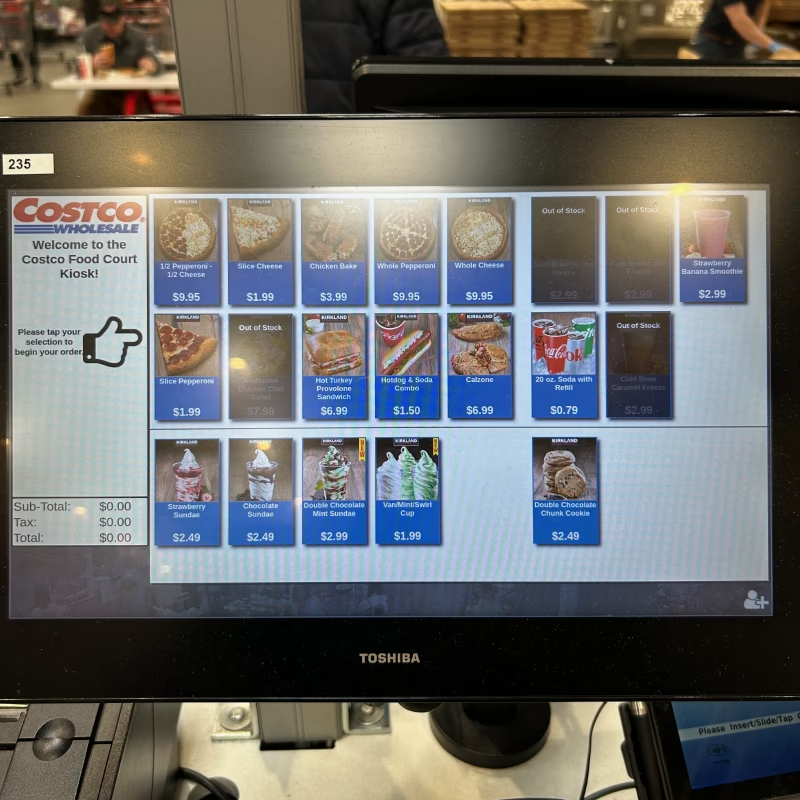
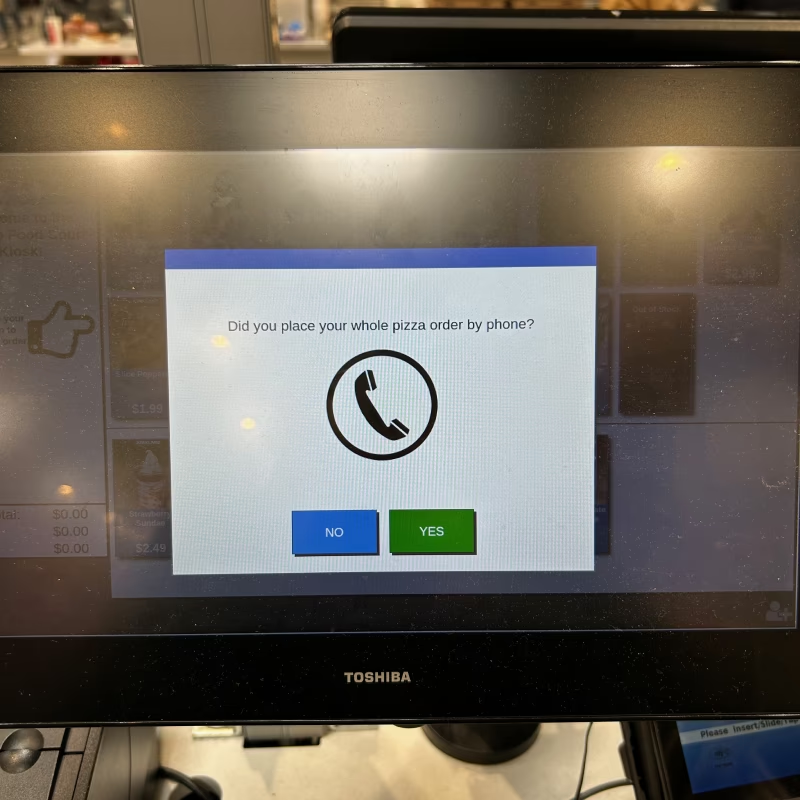
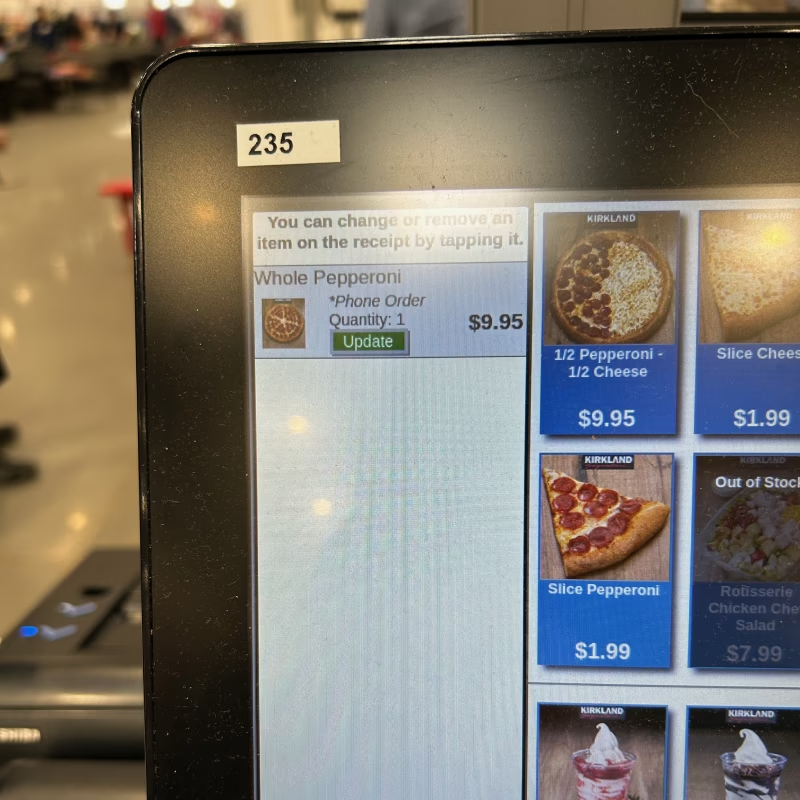
The food court kiosk has a Whole Pizza option. Selecting it surfaces a prompt: "Did you place your whole pizza order by phone?" Costco knows phone pre-ordering exists. They built a kiosk prompt for it. Selecting yes doesn't retrieve your order. No name lookup. No quantity verification. No connection to the phone call whatsoever. The kiosk adds a generic line item and charges you again as a walk-up customer. The label says Phone Order. The system doesn't know what that means. This reframed the entire design challenge from "build an ordering UI" to "design a connected system." The design constraint was straightforward: this had to look and feel like it already belonged inside the Costco app. Costco's color palette, copy style, and visual language were followed throughout. The solution had to feel native, not bolted on.
Four decisions that changed the flow
1. Fitting into a familiar system
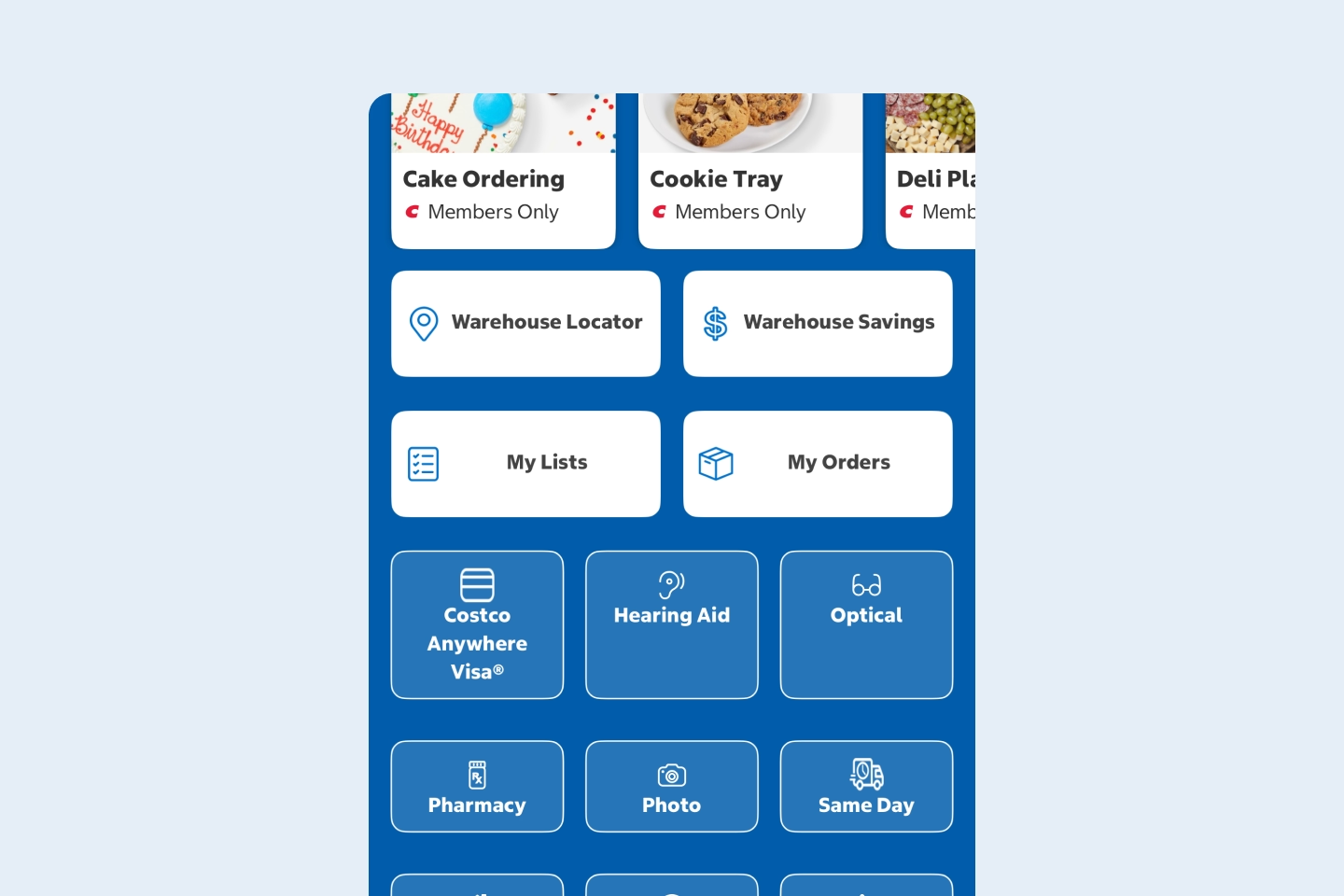
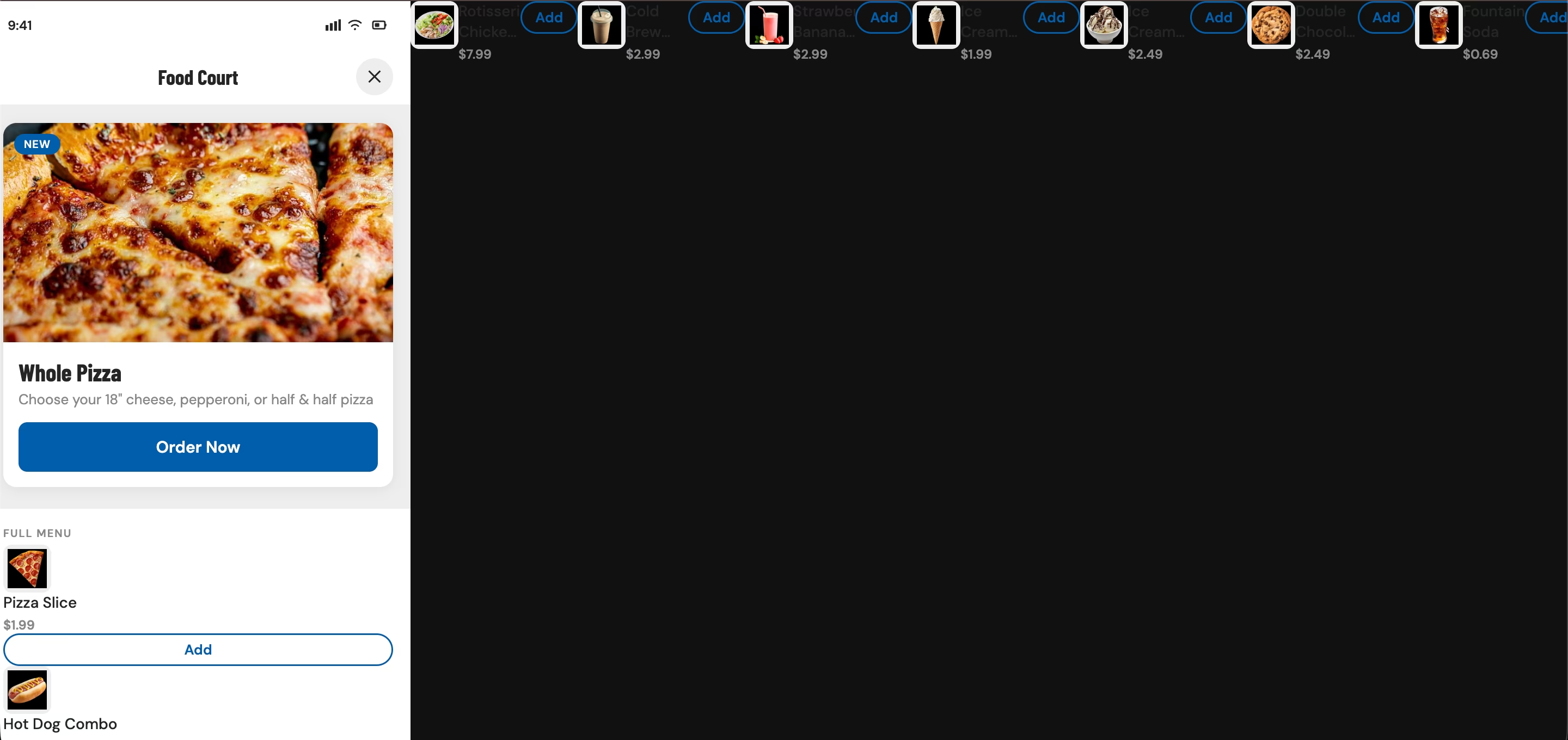
Costco members already use the app to manage pharmacy pickups, tire center appointments, and warehouse services, all accessible through the same grid under the Warehouse tab. A standalone app or website would require members to find and download something new. This led to positioning Food Court ordering as a native grid option, so users find it through a pattern they already understand
2. Simplifying the order flow
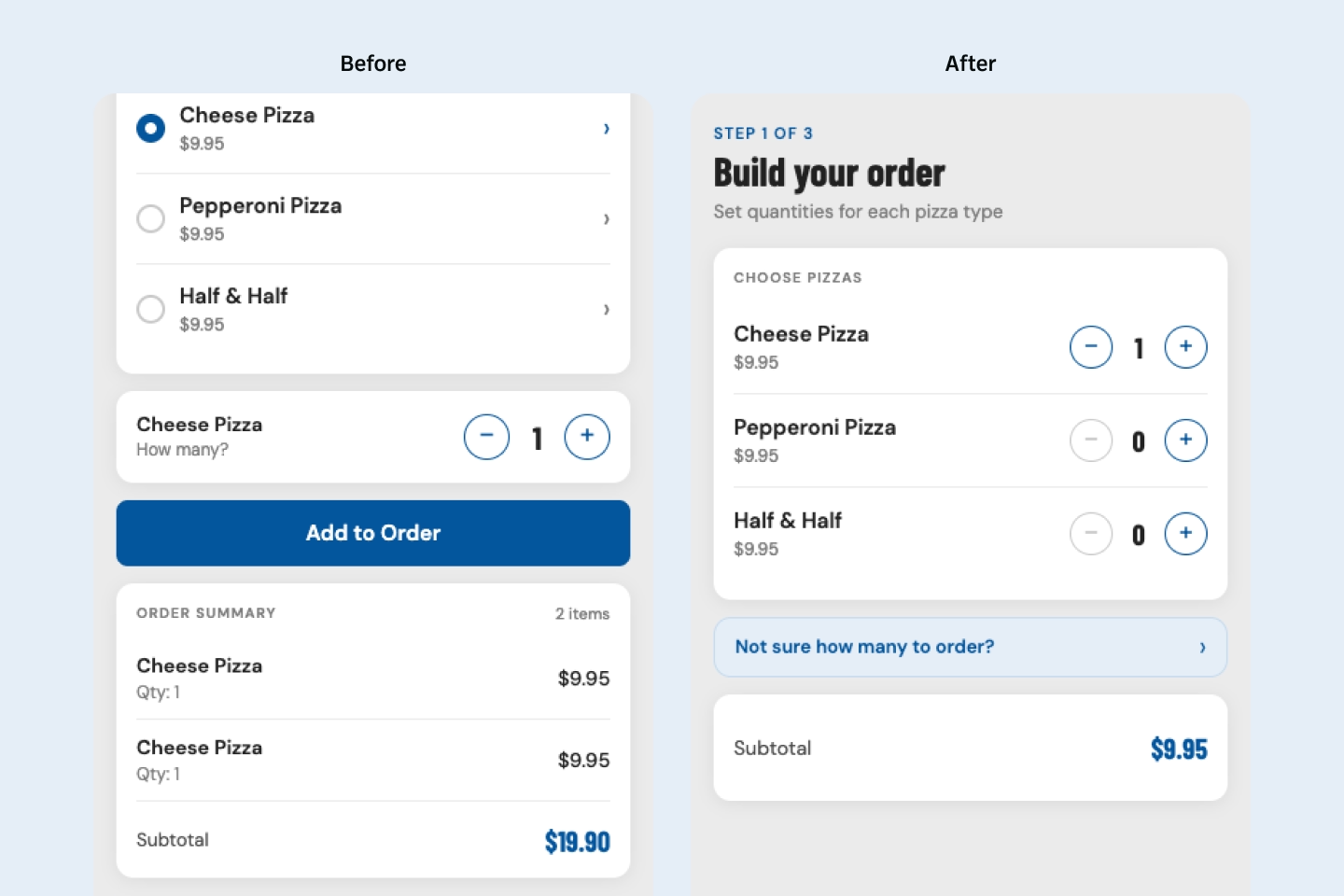
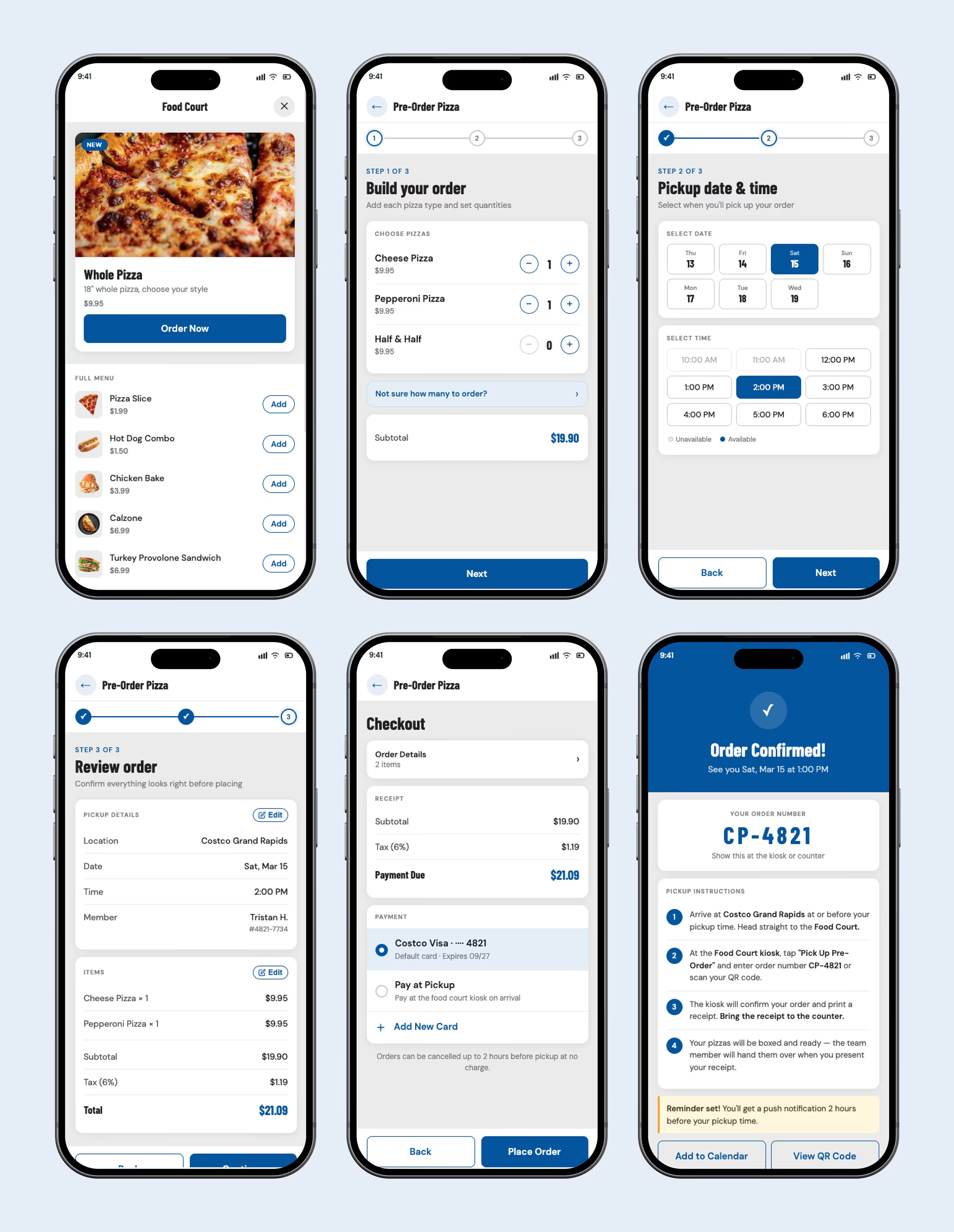
The original screen required users to add a pizza type and then specify quantity separately, which allowed duplicate line items like Cheese x2 added twice. This created a confusing order summary with no clear way to correct it. Because of this, the final version shows all three pizza options simultaneously, each with plus and minus quantity controls, one screen, no duplicates, no ambiguity.
3. The pizza calculator
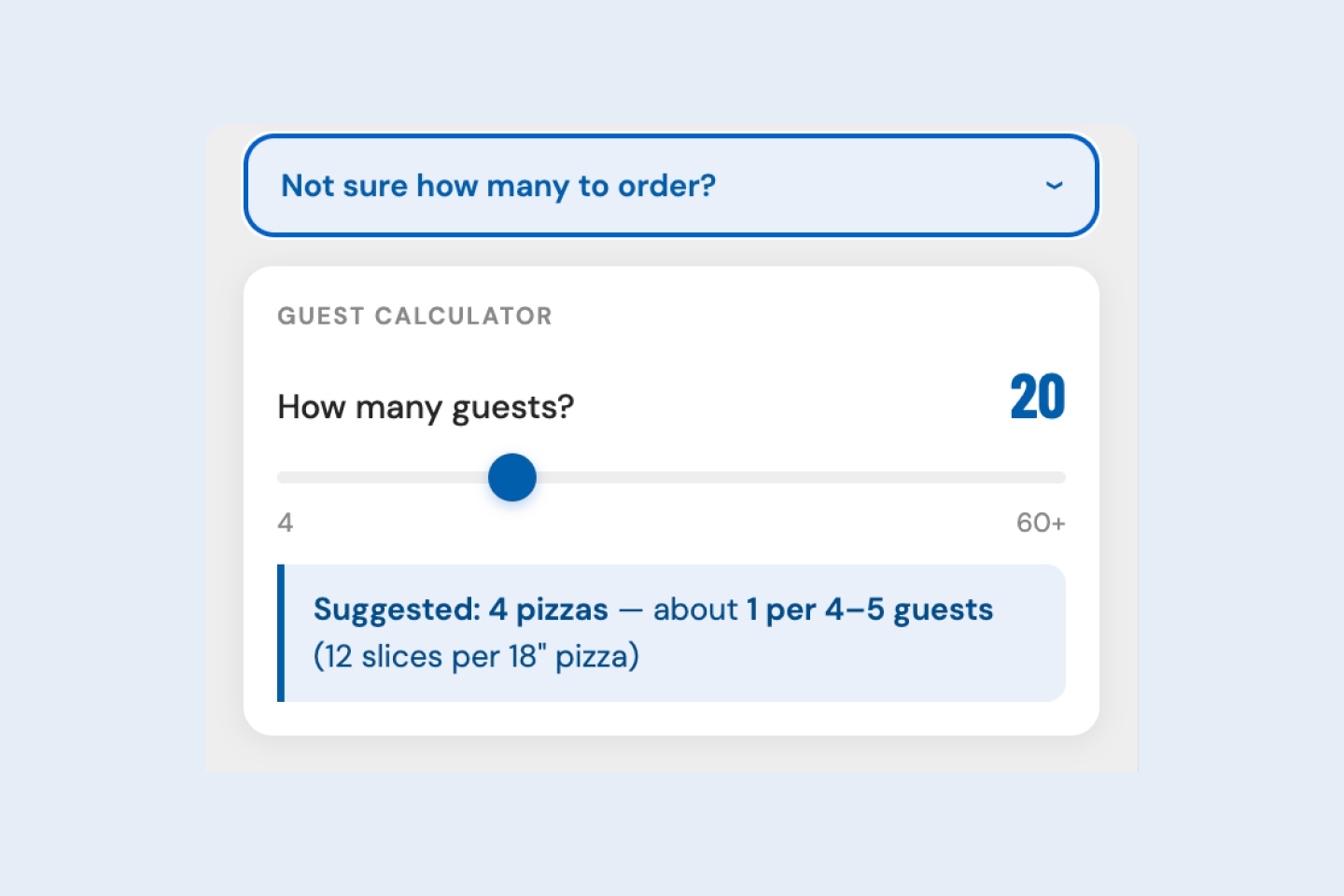
Few pizza ordering experiences offer a tool that suggests how many pizzas to order based on group size. The decision to add one came from personally running short at a party after miscalculating. This led to adding a guest size calculator directly below the pizza selection, contextual to the exact moment the decision needs to be made.
4. Solving the pickup confusion
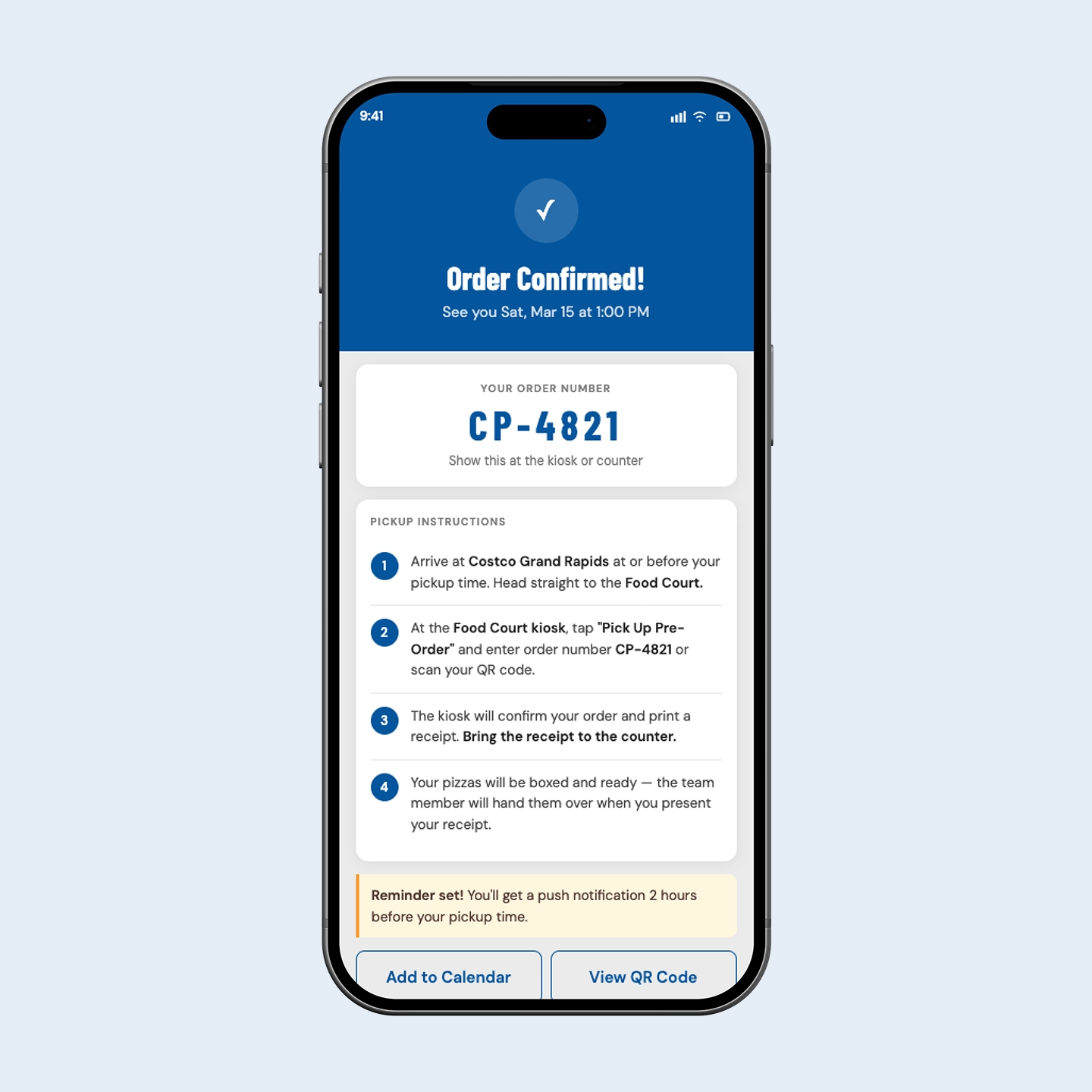
The current process gives customers no confirmation number, no written instructions, and no explanation of what happens at the kiosk on arrival. This led to designing a confirmation screen that displays the pickup date and time, a unique order number, and step by step pickup instructions. Users can add a reminder to their calendar or pull up a scannable QR code at the counter. The phone call is gone. The guesswork is gone.
When AI builds, designers still decide
The prototype was built using AI-assisted development, prompting Claude with the full concept and Costco's color palette to generate a working artifact. In theory a faster path to something testable. In practice it exposed the limits of AI as a design partner.
Spacing, padding, and typographic hierarchy required constant correction cycles because the output looked functional at a glance but failed basic visual standards on closer inspection. Flow logic was another friction point, with Claude interpreting prompts differently than intended, requiring some screens to be rebuilt from scratch.
Late in the process the AI broke the structural shell of the prototype entirely, requiring manual debugging to restore. That moment clarified something important: AI accelerates the build but design judgment is the quality control layer. Every meaningful decision in the final prototype required a designer to catch what the AI got wrong and fix it with intention.
Three steps. No phone call.
A native Food Court ordering experience inside the existing Costco app, accessible the same way members reach pharmacy or tire center services today.
The three step flow, build your order, pickup date and time, checkout, eliminates the duplicate entry problem of the current kiosk experience. All three pizza options are visible simultaneously with quantity controls, and a guest size calculator sits inline where the decision actually happens.
The confirmation screen closes the loop the phone process never does, with a unique order number, step by step pickup instructions, and options to add a calendar reminder or pull up a scannable QR code.
Tested. Validated. Ready to ship.
Informal usability testing with people who had experienced the same frustration confirmed the flow worked without explanation. The pizza selection screen, pickup scheduling, and confirmation instructions landed immediately without guidance.
For Costco, a connected digital ordering channel would convert lost phone orders into completed transactions, capturing demand that currently walks away when nobody picks up. Every unanswered call is a lost $9.95 pizza order at scale.
The project surfaced a clear personal lesson: AI accelerates the build but cannot replace the design judgment that keeps a product coherent.